


Wabi - Virtual Phone Number
3.71.74K Reviews
App Specs
- Version
- 2.10.1
- Updated On
- License
- Free
- Downloads
- 5,000,000+
- Developer
- Applaud Soft
- Categories
- Business
- Platform
- Android
Screenshots
 Analysis by AppCompare
I usually look at a virtual-number app through a practical lens: what does it let me separate from my everyday phone line, and what does that separation actually cost? Wabi - Virtual Phone Number is aimed at people who want another number without carrying another handset, with a particular focus on using that number for WhatsApp Business. That narrow purpose is useful, but it also means I would think through how long I need the number and what I expect it to do before relying on it.
What the price tells you—and what it doesn’t
Wabi is free to download, and its in-app purchases range from $2.99 to $45.99 per item. That gives you a clear starting point, but not a universal answer about the final cost: the right purchase depends on the number and option you choose in the app. I’d check the current offer shown for my intended use before committing, rather than assuming that every number or period of use is included in the free download.
The app is published by Applaud Soft and sits in the business category. It has an average rating of 3.9 from around 54,000 ratings, with about 1,700 written reviews, and has passed five million installs. Those figures suggest that plenty of people have tried it, but I wouldn’t treat popularity as proof that a particular number will suit every account or work in every situation.
Getting Started with Wabi
Jumping into the world of Wabi is as simple as pie. Downloading the app is a breeze, whether you're on Android or iOS. Once installed, you're greeted with a sleek and intuitive interface. The app promises a temporary phone number that you can use for a variety of purposes, and honestly, it delivers on that promise with style.
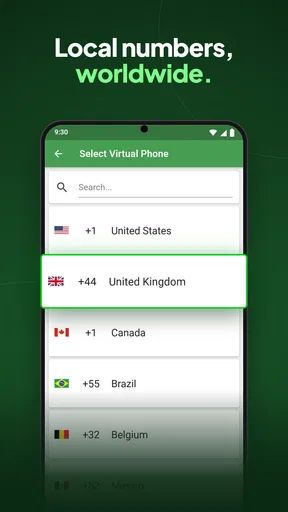
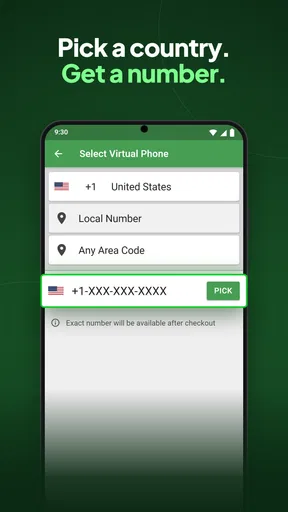
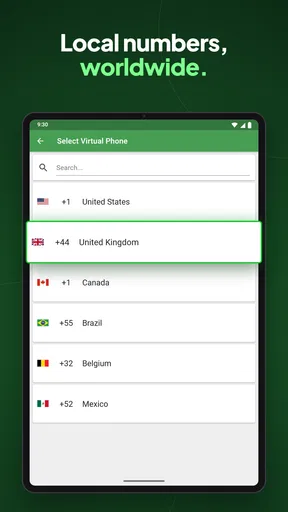
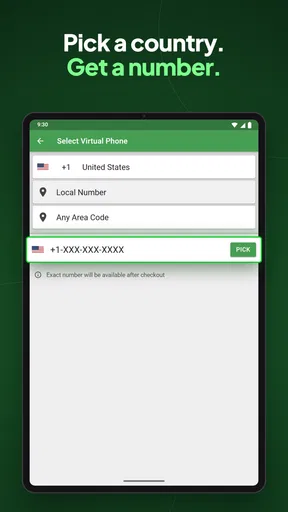
Setting up is straightforward. You just need to choose a country, pick a number, and you're good to go. The app offers a range of countries, so whether you're looking for a number in the US, UK, or even further afield, Wabi has got you covered.
Features That Stand Out
One of the first things that caught my eye was the app's flexibility. Wabi allows you to send and receive calls and texts just like a regular phone number. This is a game-changer for anyone who needs a secondary line for business or personal use without the hassle of a second phone.
Another nifty feature is the ability to use your virtual number on WhatsApp. Yep, you heard it right! You can set up a WhatsApp account using your Wabi number, making it perfect for maintaining privacy or even managing a business account separately from your personal one.
Worth Reading Before You Choose

Flipboard Shows What News Apps Must Do Beyond the Feed

Switching to Android Auto Means Rethinking Your Driving Routine

Google Calendar Makes a Crowded Week Easier to Manage

Ludo King Makes the Most of the Minutes Between Plans

Baby Panda World Brings Quick Play to Modern Phones, but Its Game Library Feels Busy

ESPN’s Live Game View Makes Following Close Games Easier
Wabi also supports multiple languages, so navigating through the app is smooth sailing, no matter your native tongue. It's clear they've put some thought into making this app accessible to a global audience.
The User Experience
Using Wabi feels surprisingly natural. The call quality is crisp, and texts go through without a hitch. I didn't experience any major lags or drops, which is always a plus. The app runs smoothly in the background, and I barely noticed any battery drain, which is a relief for those of us who live on our phones.
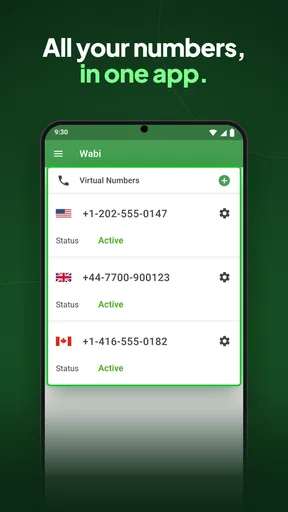
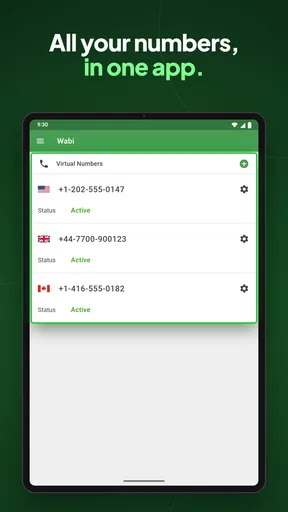
Managing your number within the app is a breeze. You can easily change settings, renew your number, or even switch to a different one if needed. The interface is clean and uncluttered, making navigation a walk in the park.
Making the number useful day to day
For a small business, the most practical benefit is the boundary it creates. I’d put the Wabi number on customer-facing channels and keep my personal line for friends and family. That makes it easier to decide which calls to return during work hours, and it avoids handing out the same number every time I test a new business listing or contact channel.
A realistic example is a home-based seller arranging local pickups. A separate number can keep buyer messages away from a personal line, while still letting the seller handle calls and texts from the same phone. The trade-off is that this only helps if the seller checks the app consistently; a second inbox can just as easily become a missed-message problem if it is forgotten.
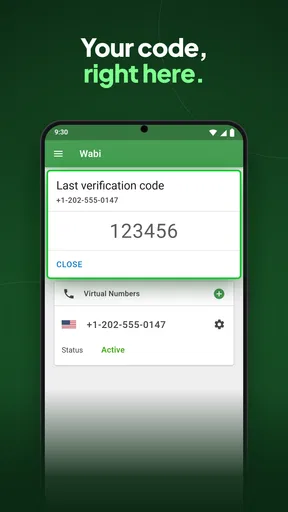
I’d also treat the number as a point of contact, not as a vault for account recovery. Before attaching it to an important service, consider what happens if you later stop using or renewing that number. A number used for verification can become inconvenient if you lose access to it, so I would keep essential accounts tied to a line I expect to retain and can reliably recover.
Where a virtual line fits among alternatives
Compared with a second SIM or a dedicated work phone, a virtual number is attractive when the priority is keeping one device and separating contact details. A second SIM may be a better fit for someone who wants their additional line managed directly by their mobile service, while a separate handset can make work-life boundaries more obvious. Wabi’s appeal is convenience, but it does not remove the need to check how a particular number behaves for the service you plan to use.
It is also different from a free messaging account that does not require a new number. If your only goal is to chat with people who already use the same platform, adding another phone number may be unnecessary. Wabi makes more sense when you specifically need a distinct number for business contact or want to keep a WhatsApp presence separate from your personal one.
Features That Stand Out
One of the first things that caught my eye was the app's flexibility. Wabi allows you to send and receive calls and texts just like a regular phone number. This is a game-changer for anyone who needs a secondary line for business or personal use without the hassle of a second phone.
Another nifty feature is the ability to use your virtual number on WhatsApp. Yep, you heard it right! You can set up a WhatsApp account using your Wabi number, making it perfect for maintaining privacy or even managing a business account separately from your personal one.
Wabi also supports multiple languages, so navigating through the app is smooth sailing, no matter your native tongue. It's clear they've put some thought into making this app accessible to a global audience.
The User Experience
Using Wabi feels surprisingly natural. The call quality is crisp, and texts go through without a hitch. I didn't experience any major lags or drops, which is always a plus. The app runs smoothly in the background, and I barely noticed any battery drain, which is a relief for those of us who live on our phones.
Managing your number within the app is a breeze. You can easily change settings, renew your number, or even switch to a different one if needed. The interface is clean and uncluttered, making navigation a walk in the park.
Privacy and Security
Privacy is a big deal these days, and Wabi takes it seriously. The app ensures your real phone number remains hidden, protecting you from spam and prying eyes. It’s perfect for online dating, listing items on Craigslist, or any situation where you'd rather keep your personal number under wraps.
Wabi seems to have put a strong emphasis on security, ensuring your data is kept safe and sound. Given the nature of virtual numbers, this is an important aspect, and they seem to have nailed it.
Limits worth considering before you rely on it
A virtual number is not the same thing as anonymity. It can keep your everyday number from being directly shared in a conversation, but it does not make a business interaction private in every other sense. I’d still avoid sending sensitive personal details to strangers and would use sensible account security wherever the number is registered.
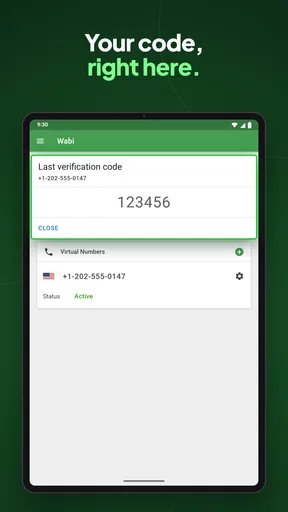
There is also a distinction between using a number for ordinary contact and depending on it for account verification. The WhatsApp Business compatibility is central to Wabi’s purpose, but I would test the setup with the account I actually intend to use before printing the number on packaging or advertising. Verification flows and account requirements can differ, so a low-stakes test is wiser than assuming every service will accept every virtual line.
For people who need a number for a one-off signup, the paid options may not be worthwhile if a safer, established alternative is available. Conversely, a small business that receives recurring customer messages may value having its public-facing contact separate enough to justify a purchase. I’d judge the expense against the time and privacy benefit I expect, not simply against the fact that downloading the app costs nothing.
Who is most likely to get value
I can see Wabi working well for a solo seller, a freelancer, or a very small business that wants a separate contact number on one phone. It can also suit someone who wants to keep a WhatsApp business identity apart from personal conversations. The useful question is not just “Do I want another number?” but “Will I actively maintain this number and use it often enough to justify the chosen purchase?”
I would skip it if I needed a guaranteed long-term line for critical banking, account recovery, or emergency contact, or if I wanted the reliability and direct carrier relationship of a conventional mobile plan. It is also not the right choice if I only need a second messaging identity and have no reason to use a phone number. In those cases, a regular SIM, a separate business phone, or simply keeping one account may be a better match.
The app is listed for everyone and runs on Android devices with version 5.0 or later. Its current version is 2.10.1, and it was released on September 6, 2018. Those details make it accessible to a broad range of Android users, though I would still check that my own device and intended workflow suit the current app before purchasing a number.
Final Thoughts
All in all, Wabi - Virtual Phone Number is a solid choice for anyone needing a temporary or secondary phone number. It's robust, reliable, and easy to use, ticking all the right boxes. Whether you're protecting your privacy or just need a number for a specific task, Wabi has you covered.
The app is free to download, with in-app purchases for different plans and numbers. It's worth checking out if you're in the market for a virtual number. After spending some time with it, I can confidently say it's a handy tool to have in your digital arsenal. So, go ahead, give it a whirl, and see how it fits into your life.
Pros
- Easy setup and user-friendly interface.
- Supports multiple countries for number selection.
- Provides SMS and call verification options.
- Affordable pricing for temporary numbers.
- No need for a separate SIM card.
Cons
- Limited customer support options available.
- Some numbers may not work with all services.
- Occasional delays in SMS delivery.
- Not suitable for long-term number needs.
- Requires internet connection for usage.
FAQs for Wabi - Virtual Phone Number
What is Wabi, and how does it work?
Wabi is an app that provides users with virtual phone numbers, allowing them to make calls and send texts without revealing their personal number. This can be useful for business, travel, or maintaining privacy. The app assigns a number from various countries, which can be used for verification and communication purposes.
Can I use Wabi for account verification on other apps?
Yes, Wabi is often used for account verification, especially for platforms that require a phone number. However, it's important to ensure that the service you're verifying accepts virtual numbers, as some may have restrictions. Wabi supports a wide range of apps, making it a versatile choice for this purpose.
Is Wabi available for both Android and iOS?
Yes, Wabi is available for download on both Android and iOS devices. It can be found on the Google Play Store for Android users and the Apple App Store for iOS users. The app offers a similar user experience across both platforms, ensuring seamless functionality regardless of your device.
Are there any subscription fees or hidden costs with Wabi?
Wabi operates on a subscription model, with various plans offering different features and numbers of minutes or texts. While the app itself is free to download, users must choose a plan that suits their needs. It's advisable to review the pricing details carefully to avoid unexpected charges.
How secure is my data when using Wabi?
Wabi prioritizes user privacy and security. The app uses encryption to protect your communications and personal information. However, as with any app, it's crucial to review their privacy policy and terms of service to understand how your data is handled and ensure it aligns with your privacy expectations.


